iOS · Live on the App Store

Snap a photo.Feed your AIat the speed of light.

Handwriting, whiteboards, code, receipts, packaging — ZapCopy turns any photo into clean, paste-ready text. So the data in the world around you gets to ChatGPT, Claude, and your notes faster than you can type it.

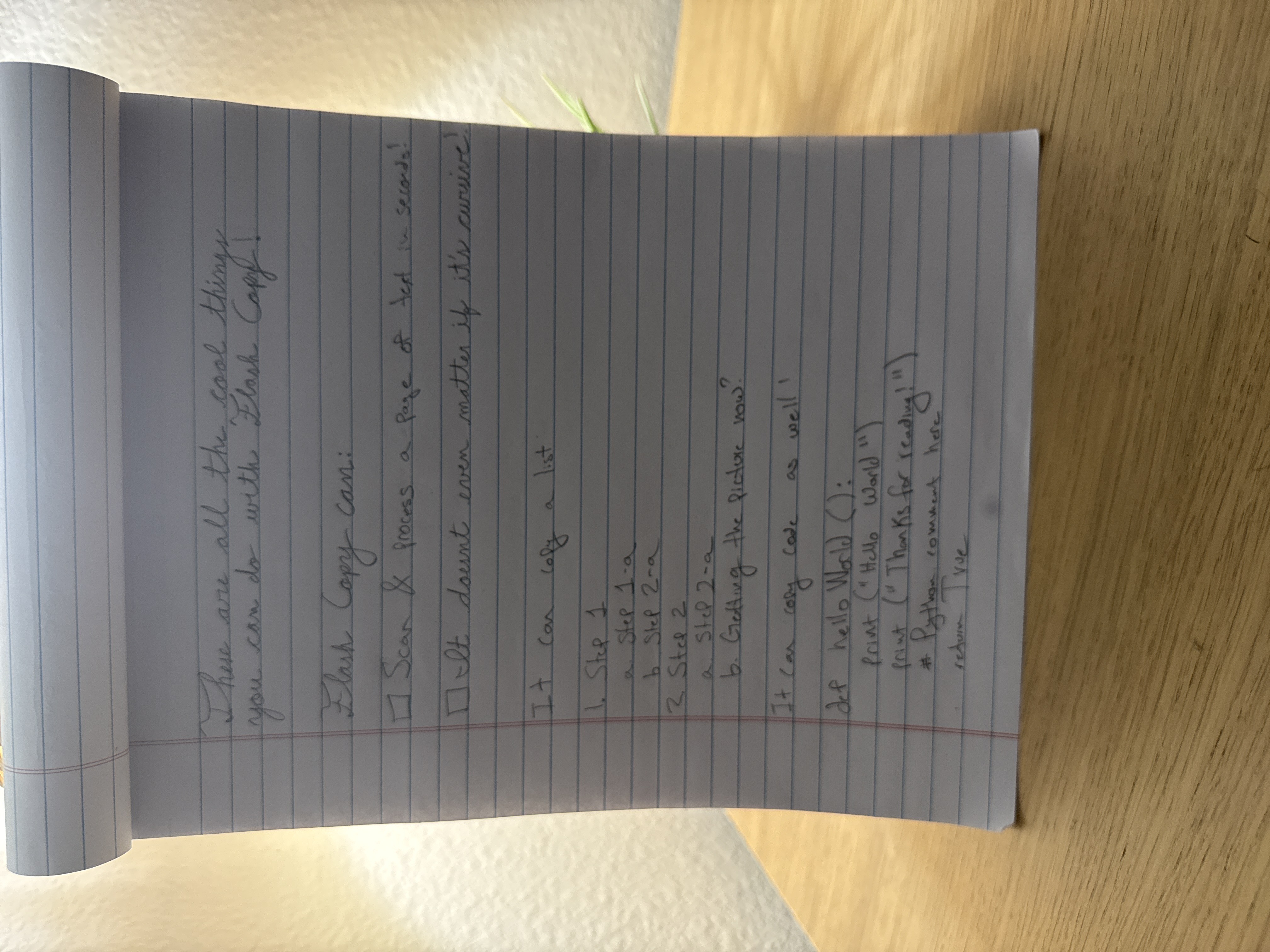
Feed your AI faster · paste-ready outputHandwriting → text in secondsPhoto · Multi-shot · Video
See it teleport · v2

Photo in. Through the bolt. Text out. Shared.

A vertical scroll-driven teleport: an iPhone 17 snaps the photo, the photo falls through ZapCopy's bolt, the extracted text emerges below, and finally lands in your favorite apps. Scroll to drive it; scroll up to reverse.

Variant 02 · Vertical teleport

From shutter to share sheet — the whole journey, scrubbable.

GSAP scroll-scrub · top-to-bottom · pinned
Step 01 · Snap

Point. Tap. Done.

Open ZapCopy, frame the page, take the shot. One tap, no setup.

Step 02 · Zap

Through the bolt.

Your photo drops into ZapCopy's pipeline. OCR, layout, language — all in seconds.

Step 03 · Done

Clean text out.

The extracted text emerges, ready to copy or share. Layout preserved, formatting intact.

Step 04 · Share

One tap. Anywhere.

From a photo to ChatGPT, Cursor, or your teammate's inbox — in a single tap. No retyping. No emailing yourself. No thumb drives.

9:41
⚡︎PHOTOLIVE
.523
Scroll down
How it works

Three steps. About ten seconds.

Not a workflow. Not a tutorial. Just the shortest path from a photo to clean text you can paste anywhere.

01

Snap.

Open ZapCopy, point your camera, tap the shutter. Single photo, multi-photo mosaic, or video pan — your call.

02

Zap.

A few seconds later, clean, structured text appears — formatting intact, languages preserved, nothing invented.

ChatGPTClaudeNotionGeminiGmailSlack
⌘V
03

Paste.

Drop it into ChatGPT, Claude, your notes, a doc, a message. Your data is finally in a form your AI can actually use.

AI-ready output

The shortest path
from paper to prompt.

Every menu, whiteboard, meeting note, and packaging label is data your AI can’t see yet. ZapCopy hands it over, clean and paste-ready — so the physical world starts working for your models, not against them.

paste destination
also works with
ChatGPT
New conversation
✓ pasted
Summarize these whiteboard notes into action items and owners.
extracted.txt284 tokens · from ZapCopy
Bridge the gap

Stuck text. Anywhere text.

Some text is trapped where it shouldn't be — an air-gapped laptop, a printout, a whiteboard, a screen across the room. ZapCopy is the bridge.

01

Code stuck on a disconnected computer

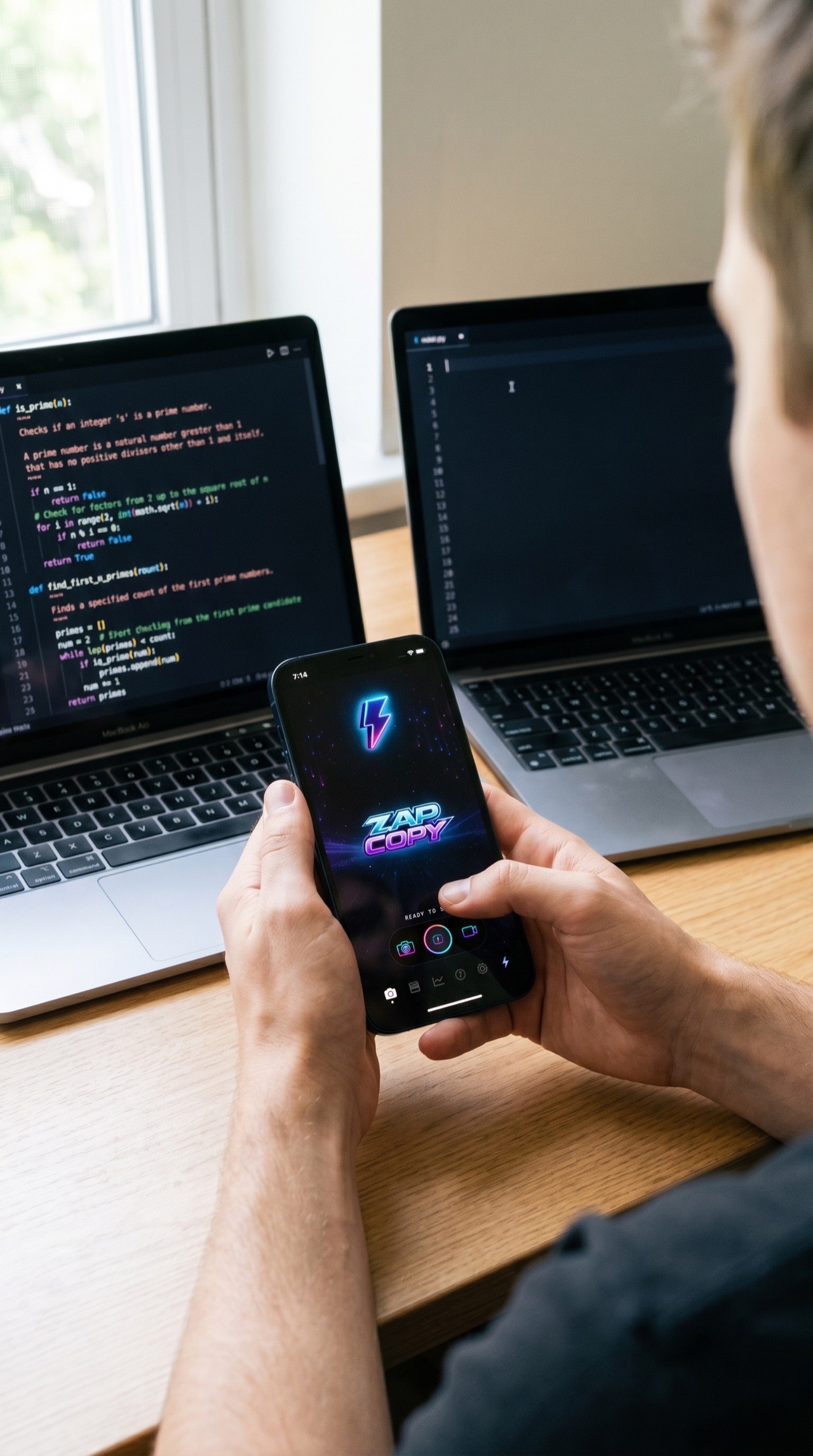
You're working on a secure or offline laptop — no internet, no cloud copy-paste. Snap a photo of the screen with your phone and ZapCopy extracts the code, character-for-character, ready to paste into ChatGPT, Notion, or back into a connected machine.

📷 Snap the screen⚡ ZapCopy extracts💬 Paste anywhere
02

Whiteboards & meeting walls

That whiteboard from the standup? Snap it. Get clean text — bullets, indentation, and arrows preserved — straight into your notes app before someone wipes the board.

03

Printed forms, receipts, packaging

Curved labels, faded receipts, mixed languages. ZapCopy reads what your camera sees and hands you something you can search, paste, and actually use.

Pricing

Pay for what you scan.

One credit per photo. Multi-photo and video use credits in proportion to length. Unused monthly credits roll over up to your plan cap.

Free
$0
10 credits · lifetime
  • Single-photo scans
  • Clean, paste-ready text
  • Copy to any AI or app
  • Multi-photo & video
  • Cloud sync
Start free
Ultra
$19.99 / month
1,000 credits · per month
  • Everything in Premium
  • High-volume use
  • Priority processing
  • Remove branding
  • Early access to new features
Start on Ultra

1 credit = 1 photo scan. Cancel anytime from the App Store.

Reviews

What people actually say.

★★★★★

"Scanned 40 pages of my grandmother's recipe cards in ten minutes. Cursive and all."

Mara · ★★★★★
★★★★★

"I take photos of whiteboards after every standup. This replaced three apps for me."

Dev · ★★★★★
★★★★★

"My secret weapon for feeding meeting notes straight into ChatGPT. Saves me hours a week."

Priya · ★★★★★
★★★★★

"Finally an OCR app that doesn't make up words when it can't read my scribbles."

James · ★★★★★
// replace with real App Store reviews before launch
FAQ

The honest answers.

Does ZapCopy work offline?

The shutter works offline — your photo is captured and queued. The actual text extraction needs a connection, because it runs on our secure cloud pipeline. We'll process your queue the moment you're back online.

Is my photo data kept on your servers?

Photos are sent to our OCR endpoint, processed, and dropped — we don't retain source images after the extraction returns. The extracted text lives in your app and (on Premium+) in your private cloud sync. Full details in our privacy policy.

What languages does the OCR support?

100+ languages, including mixed-script documents. The packaging demo above has Chinese, English, Japanese and Korean on the same box and it comes back intact. Handwriting is supported in every major script we've tested.

How accurate is it on handwriting?

Better than you'd expect, not magic. Clean cursive on ruled paper is near-perfect. Doctor's-signature scrawls are hit-and-miss — we flag low-confidence characters rather than invent them.

Why is this better than just pasting a photo into ChatGPT?

It's faster, cheaper per scan, and the output is structured text you can edit, search, diff, and reuse across every tool you own — not locked inside one chat thread. Plus it handles multi-page, multi-photo and video pans that chat interfaces choke on.

Can I cancel my subscription anytime?

Yep — standard App Store subscription, cancel from your Apple ID subscriptions page. You keep access until the end of your paid period. No email, no dark patterns.

Ready to zap some text?

Download on theApp Store